Guides and outfitters: put your trips on the map
GuideNord is free for guides. Your offers show on the map to people looking for exactly what you offer: a species, a region, a price.
Why be on GuideNord
- Clients who are already looking: they filter by hunting or fishing, by species and by the dates they are free, then look at the map.
- A bilingual audience: the app is in French and English, for people from here and visitors from Europe and the US.
- No fees, no commission: clients send you a request with their contact, and you book them as you always do.
- Your contact protected: your phone, email and website are shown only to clients whose request you accept, not to any robot crawling the map.
How to sign up
- Open GuideNord and choose "I'm a guide"Sign in with your Google account, the same one you use to look for a guide. At "What brings you here?", choose "I'm a guide", or switch to guide mode in Settings.
- Fill in your profileYour business name, your email, and if you like your phone and website. It's shared by all your offers.
- Add your offers, in five stepsAs many as you like: one per trip. The form takes you through one step at a time (details below).
- We review it, then it goes on the mapEvery new offer and every edit is read before it is published. We answer by email.
Creating an offer, step by step
One step at a time, each checked before the next. "Back" returns to the previous step, nothing is lost.
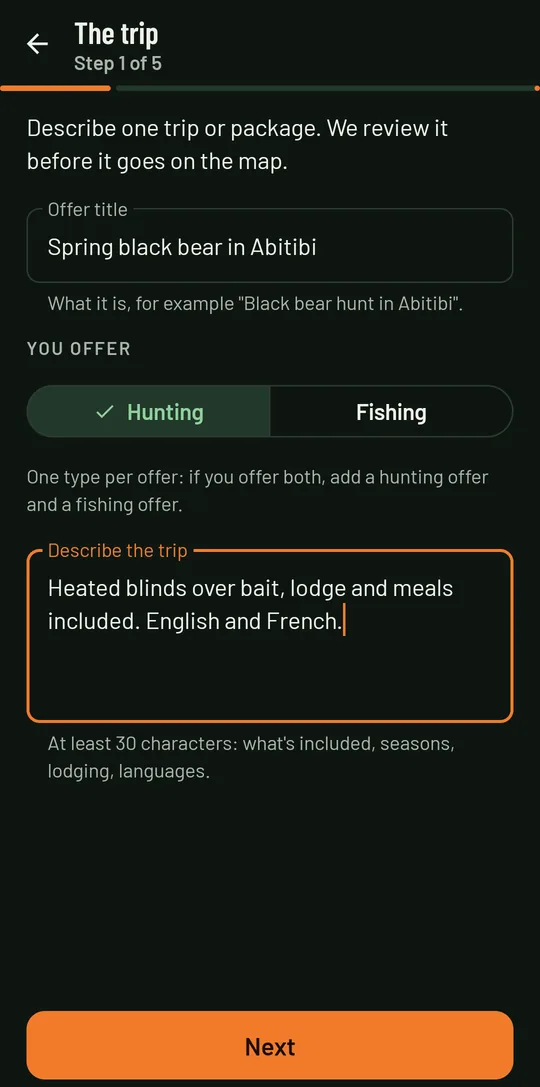
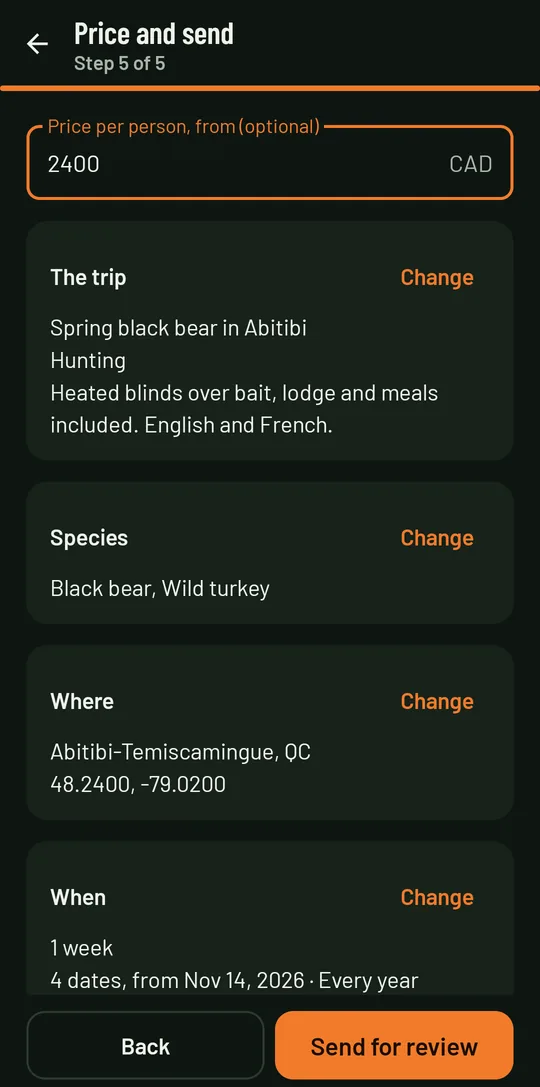
- The tripA title ("Spring black bear in Abitibi"), hunting or fishing, and a description: what's included, lodging, the languages you speak. One type per offer: if you offer both, create a hunting offer and a fishing offer.
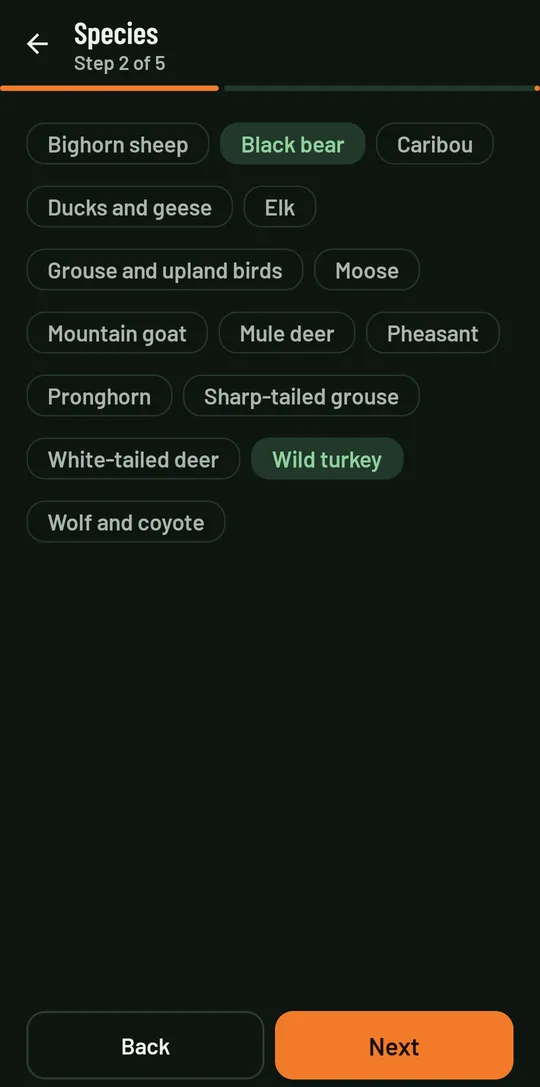
- SpeciesThe ones you offer, hunting and fishing in separate lists. Clients find you by these species.
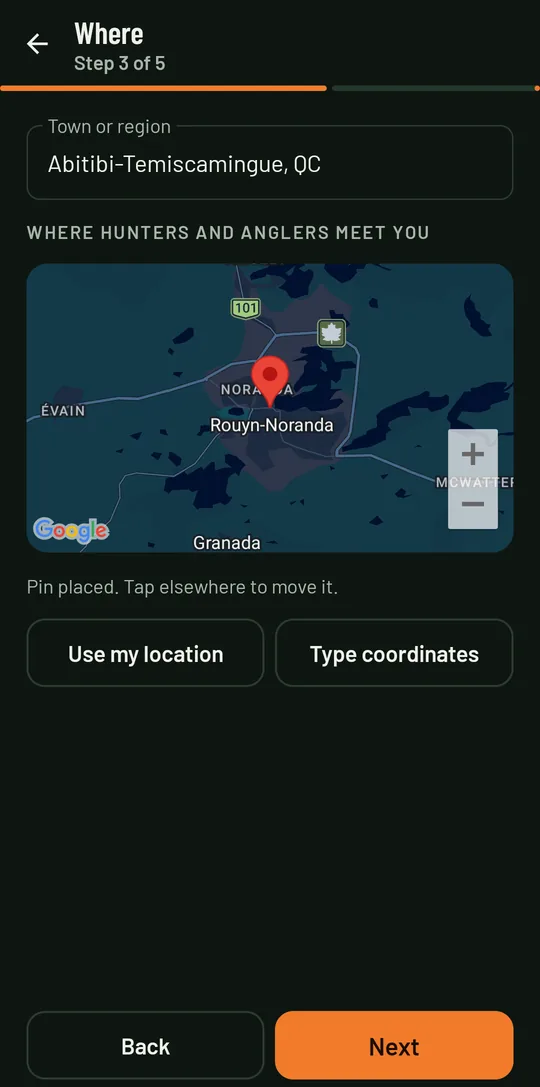
- WhereYour town or region, and a pin on the map where clients meet you: tap the map, use your location or type the coordinates.
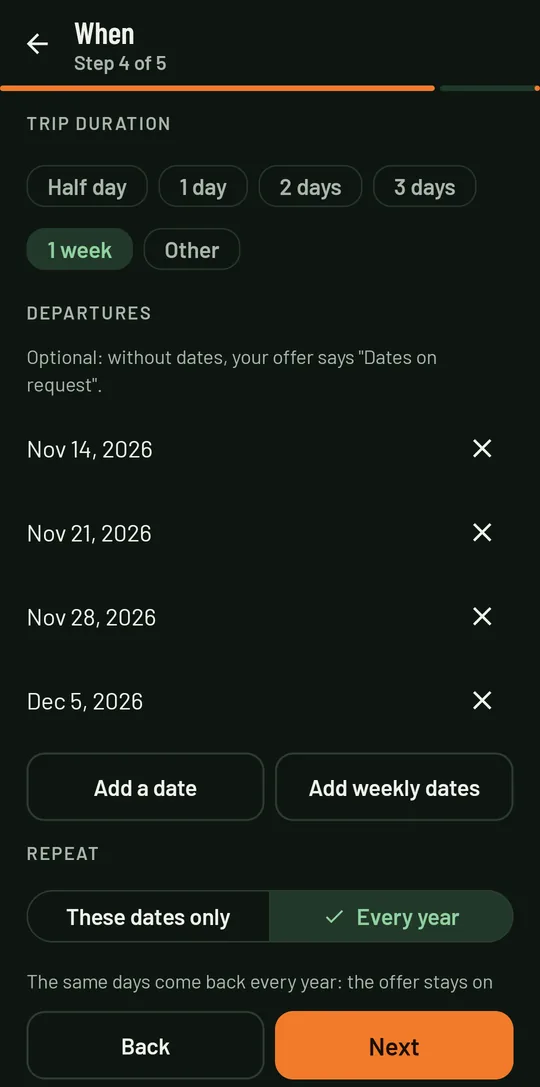
- WhenHow long a trip lasts and your departure dates (details below). Optional: without dates, your offer says "Dates on request".
- Price and sendA "from" price per person if you like, then a summary of everything, with "Change" on each step. You send it for review.
Your dates: when your trips leave
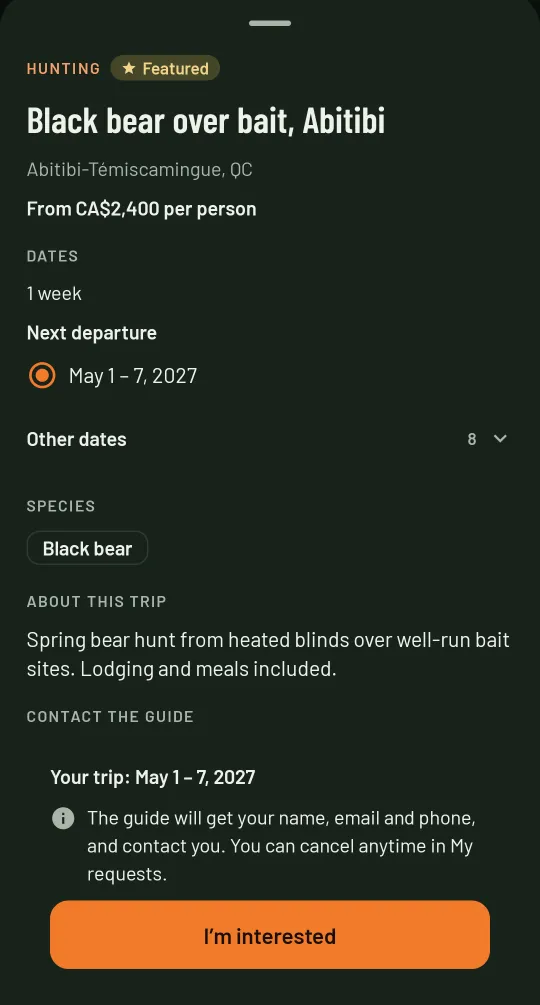
Clients often search by dates: they enter when they are free and see the trips that fit entirely within those dates. Giving your dates puts you in those searches.
- Duration: half day, 1 day, 2 days, 3 days, 1 week, or any number of days.
- Departures: add each date, or a whole season at once with "Add weekly dates" (for example every Saturday from May 1 to June 26).
- Half days: each date leaves in the morning, the afternoon or both, for a salmon outing as for a dawn turkey hunt.
- These dates only or every year: a season that comes back on the same dates stays on the map year after year. One-time dates leave the map after the last one, and your offers show "Dates passed".
- The client picks a date: in your offer, they see the next departure, and the others under "Other dates". The one they pick comes with their request.
Requests received
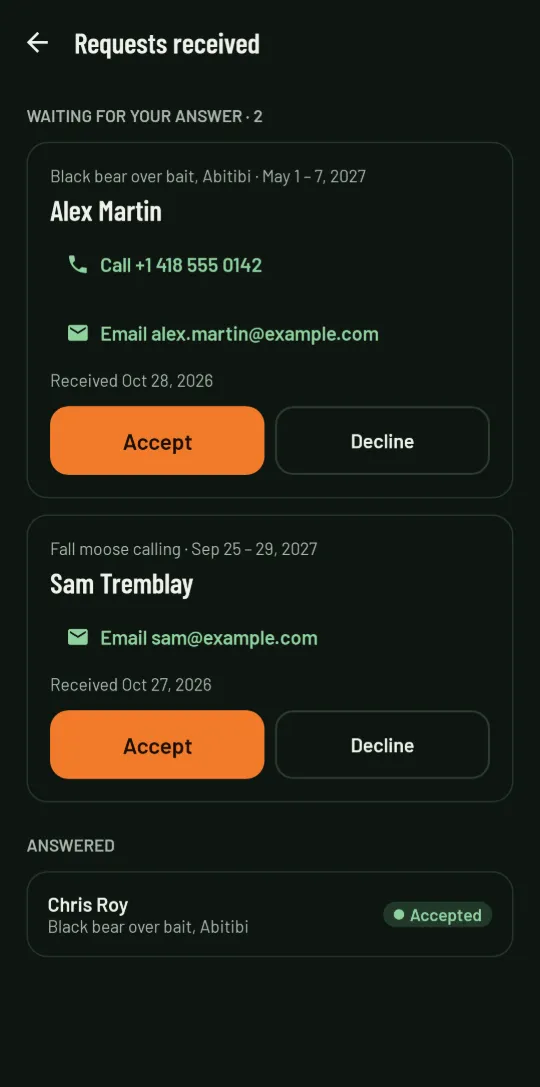
When a client taps "I'm interested" on your offer, their request lands in "Requests received", with a badge on your home: their name, email, phone if they gave it, the offer and the date they picked. Call or email them in one tap.
Accept, and they see your business name, phone, email and website as your profile has them. Decline, and they only see "Declined". If you delete an offer, its open requests show "Offer removed".
Feature an offer
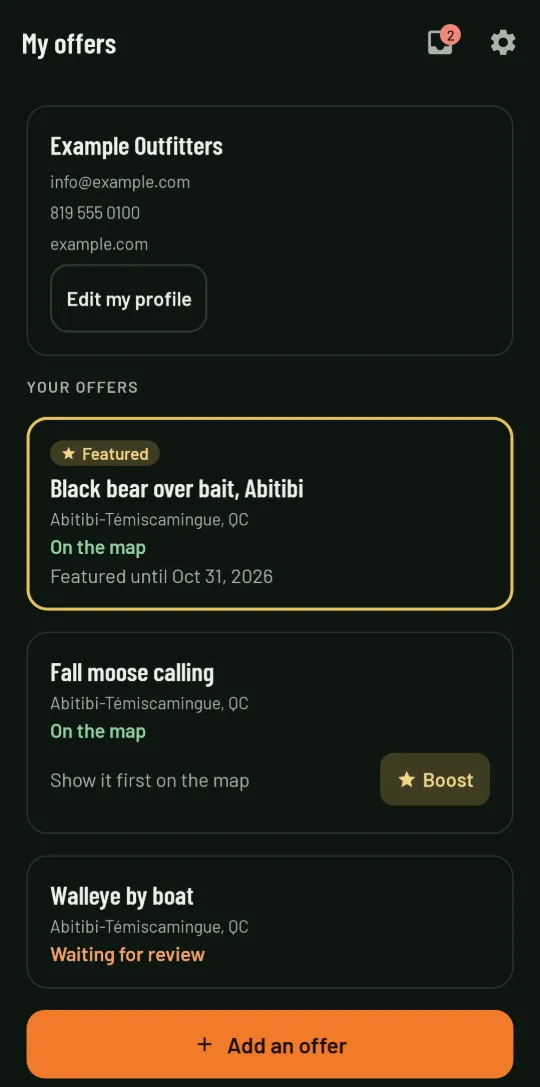
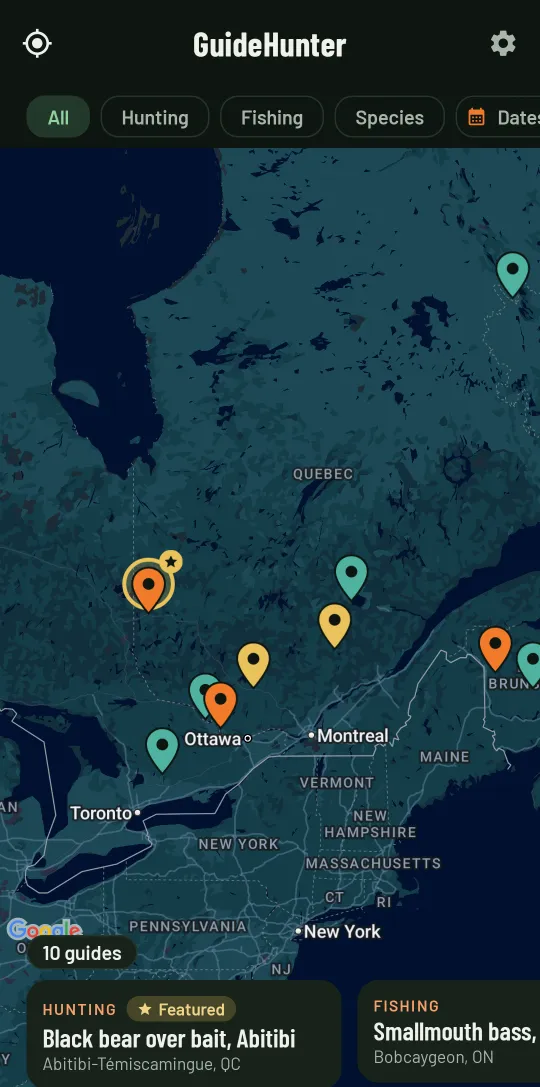
On your home, an offer that is on the map has a "Boost" button. After a short ad, it is featured for 3 days: its pin stands out on the map with a gold ring and a star, and it carries the "Featured" badge.
Up to 3 featured offers show at a time; when more are in view, they take turns. It is free, and you can boost again when the 3 days are nearly over.
An offer people want
Describe the trip the way you would on the phone: what you supply, the lodging, what the client should bring and the languages you speak. Visitors from abroad want to know whether to plan transport from the airport.
Create one offer per trip rather than one for everything: "Spring black bear" and "Fall moose calling" each show up under the right species.
Your offers stay yours
Edit an offer whenever you like: the reviewed version stays on the map until the edit is approved. Delete an offer and it leaves the map. You can also delete your whole account from the app.
Frequently asked questions
How much does it cost?
Nothing. Signing up, listing offers and featuring them are free. GuideNord is paid for by ads: the one clients watch before sending you a request, the one you watch to feature an offer, and ads in lists.
Does GuideNord take bookings?
No. The client sends you a request with the date they picked in your offer. You call or email them, and you book them as you already do.
What does the client see when I accept?
Your business name, phone, email and website, as your profile has them. If you decline, they only see that the request was declined.
Do I have to give my dates?
No, it is optional: your offer then says "Dates on request" and stays on the map. With your dates, you also show up when a client searches for a trip that fits their free dates.
My season comes back every year. Do I redo everything?
No. Choose "Every year" in the When step: the same dates come back year after year and your offer stays on the map.
Do I need a guide or outfitter licence?
You must hold the licences required where you operate. We review every offer, but staying compliant is up to you, and clients are told to check.
The app isn't on Google Play or the App Store yet. How do I sign up?
Write to us at contact@kallistesoft.ca with your business name and your trips: we'll let you know at launch, so your offers are on the map from day one.